 Digital A3 & 8D
Find the cause.
Make progress stick.
Eight guided steps. One shared A3 report. AI drafts; your people verify.
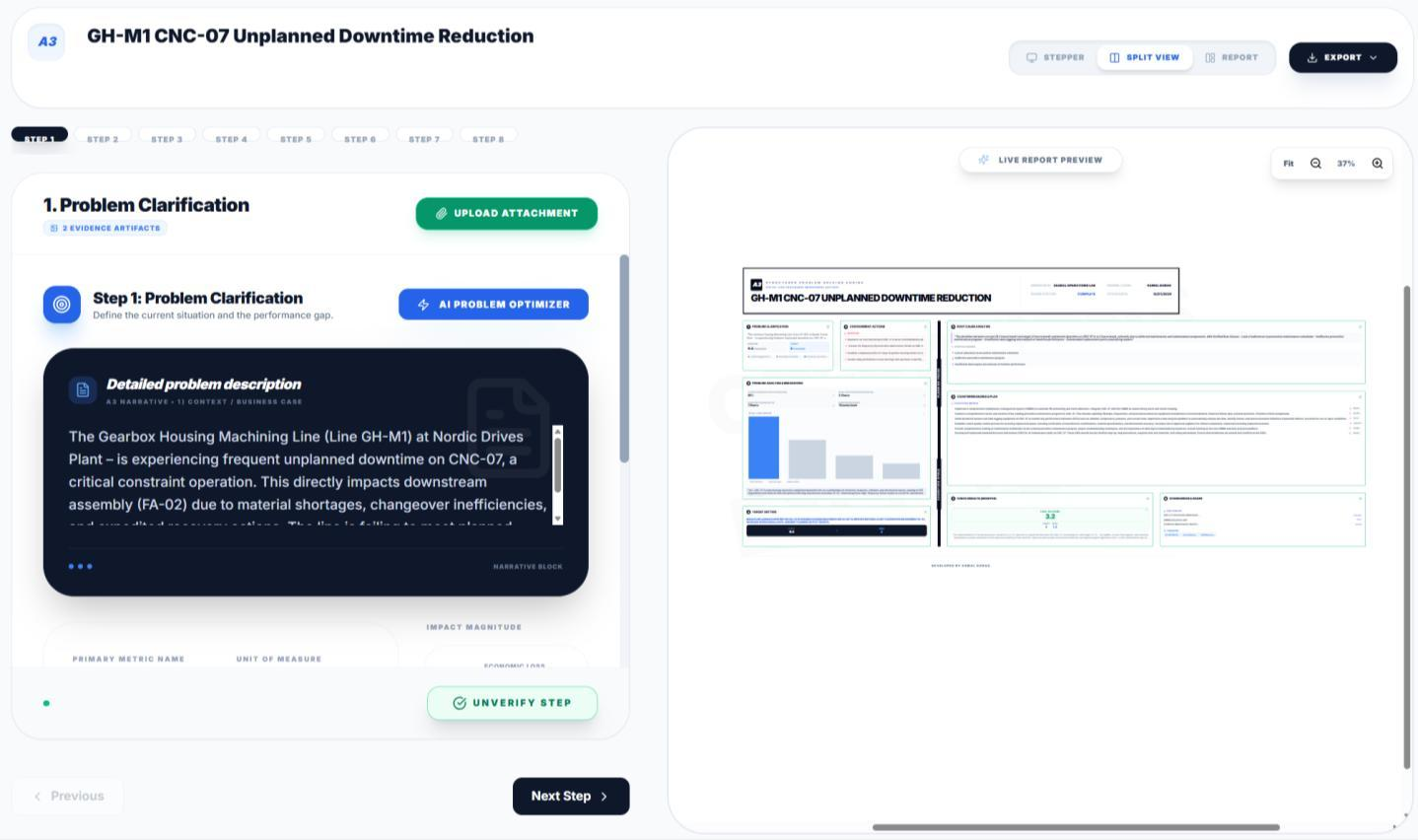
Move beyond the quick fix
When the A3 sits in PowerPoint, data in Excel, and evidence in email, teams lose the whole picture. Digital A3 & 8D keeps the investigation and its learning together so teams can work from the gap through to a sustained result.
What is A3?
A3 is a structured, one-page problem-solving framework used by lean and quality teams. It connects the problem, analysis, actions, results, and learning in one visual report.
What does 8D-style mean here?
8D refers to the Eight Disciplines approach to problem solving. This app guides teams through the eight steps shown below, including containment, root cause investigation, countermeasures, and standardization.
Eight steps from the gap to standard work
Clarify
Define the metric, current and target values, gap, background, and business impact on cost, time, and quality.
Contain
Record immediate actions with owners, due dates, and statuses, from draft to verified.
Analyse
Break down the problem into dimensions, trends, and outliers. Use a Pareto of contributors to identify the key insight.
Set targets
Set a goal, a KPI from baseline to target, milestones, and clear success criteria.
Find root cause
Switch between a 5 Whys chain and a Fishbone 6M diagram. AI proposes and categorizes causes; you select the root causes to carry forward.
Countermeasures
Plan technical, process, training, or standardization actions with impact, owner, and due date.
Check results
Track monitoring points over time against the target and record financial, capacity, and safety gains.
Standardize
Track standard-work documents and publication, plan how to share learning, name a sustainment owner, and record lessons learned.
AI drafts. People verify.
Every AI-generated action starts as a draft. A person verifies each step, and report status follows what has been verified. Editing a verified step clears its verification.
Build, investigate, and share the A3
Three ways to start
Describe the problem for an AI-drafted starter A3, choose from six worked industry examples, or begin with a blank canvas.
Three builder views
Work in the stepper, split view, or zoomable one-page A3 canvas. Edit a step and see the report take shape.
Autosave and conflict recovery
Changes save after two seconds with a saved or error indicator. If two tabs conflict, keep your edits and save them as a separate copy.
An AI helper in every step
Get step-specific suggestions and Sensei coaching. Refine tone, brevity, or clarity using prompts that include earlier steps and attached evidence.
Charts and checked responses
Generate bar, line, pie, and radar charts. AI responses are validated on the server before reaching the report. See the active model, token usage, and estimated cost.
ML Workbench
Upload CSV or Excel data, select a target and features, and get ranked drivers with insights to support your investigation.
Export the right level of detail
Export the one-page A3 canvas as PDF or JPEG, or generate a full technical dossier as PDF.
Accounts and teams
Use email or Google sign-in, team roles, and invitations. Reports remain owned by their author.
See every initiative and its progress
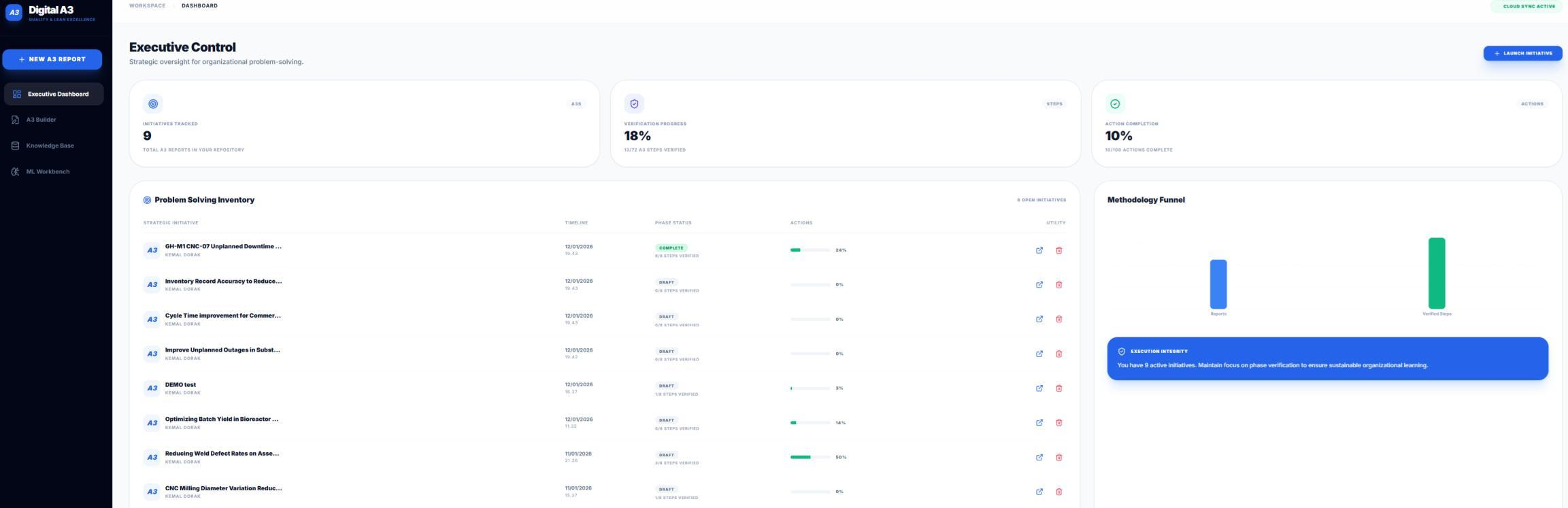
Track reports, verification progress, action completion, and a methodology funnel by phase to see how far the work has come.
Choose the AI your team can use
Managed AI
The server selects the model, with monthly token caps per user and organization. Nothing to configure.
Bring your own key
Use OpenAI, Anthropic, or Gemini. Keys are encrypted with AES-256-GCM, with only the last four characters displayed.
Local models
Use Ollama or LM Studio running on your own computer, configured per browser. This is a local inference option within the hosted application.
Controls around your work
Uploads are quarantined and antivirus-scanned before becoming available. Idle sessions sign out after 30 minutes. From your profile, export your personal data or delete your account.
Quality, lean, and operational improvement teams
Start with your own problem or explore six worked industry examples spanning manufacturing, energy, pharma, logistics, and finance.
Product descriptions, screenshots, workflows, and demonstrations are provided for evaluation purposes only. No rights are granted except as expressly agreed in writing by QDES.