Generate and assess FMEAs with AI
Upload specifications, flow charts, requirements, standards, or historical data — and let AI help create structured FMEAs, assess existing FMEA quality, and recommend improvements.
FMEA creation and review often slow teams down
FMEA creation and review can be slow, inconsistent, and difficult to standardize. Quality and engineering teams often need to collect information from specifications, process flows, drawings, requirements, lessons learned, historical data, and standards before creating a useful FMEA. Existing FMEAs may also vary in quality and miss important failure modes, effects, controls, severity justification, or improvement actions.
Create and improve FMEAs faster with AI support
AI FMEA Builder & Quality Assessor helps teams create and improve FMEAs faster. The app uses AI to analyze uploaded technical documents and generate structured FMEA content. It can also assess completed FMEAs and provide improvement recommendations based on quality criteria, standards, and uploaded assessment templates.
How it works
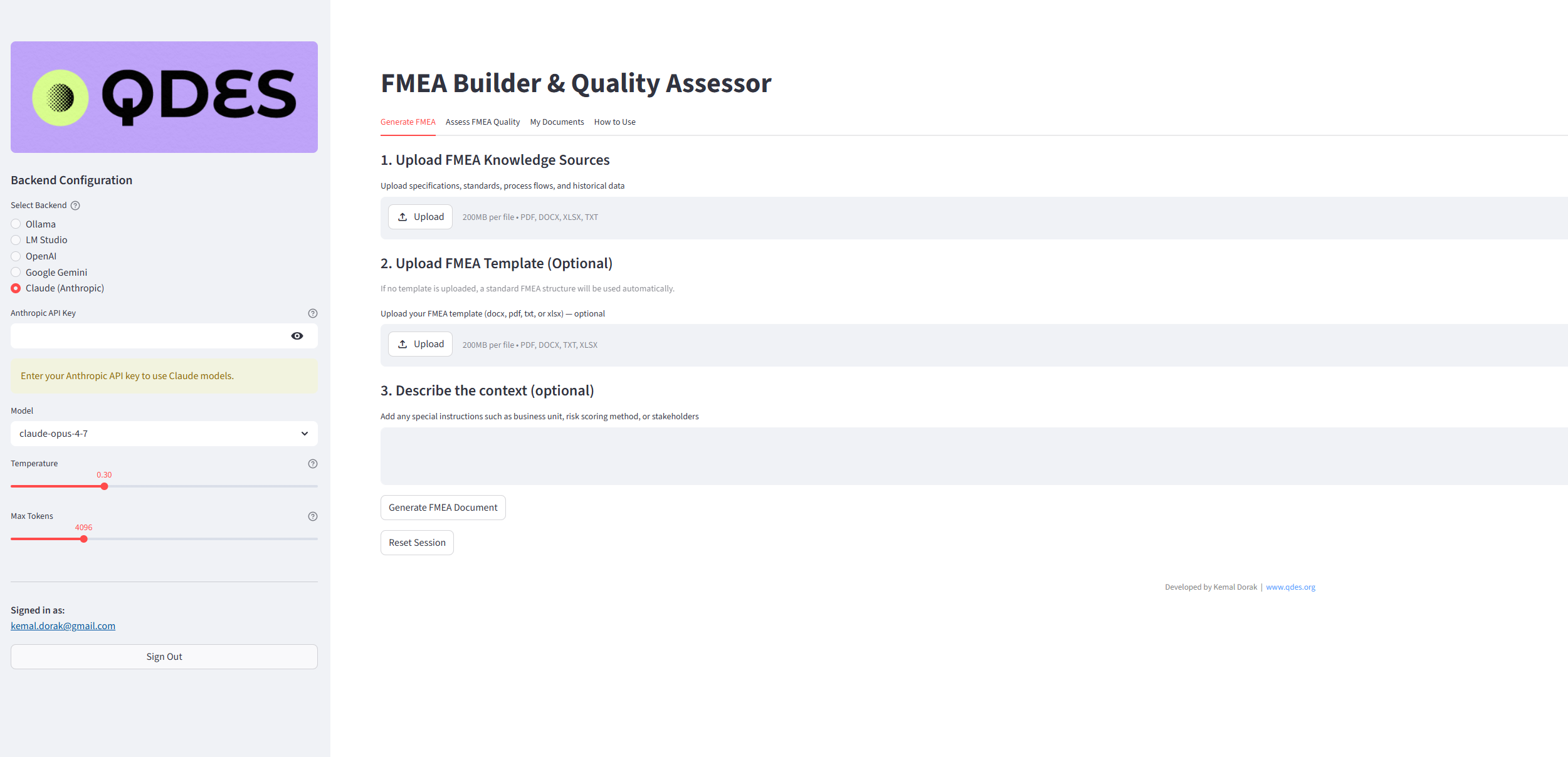
Select your AI model
Choose cloud or local AI options depending on your data, privacy, and deployment requirements.
Upload FMEA knowledge sources
Add specifications, standards, process flows, requirements, drawings, lessons learned, or historical quality data.
Add optional template or context
Upload your FMEA template and describe business-specific scoring, customer requirements, or stakeholder expectations.
Generate FMEA
The app analyzes your inputs and creates a structured FMEA preview for review.
Save or download
Export the generated FMEA for collaboration, review, and ongoing improvement.
Assess FMEA quality
Upload existing FMEAs to identify quality gaps, scoring weaknesses, and improvement opportunities.
Key features
AI-generated FMEA creation
Quality scoring and assessment
Multi-document input
Template support
Context-aware generation
Save and download outputs
Local/offline AI option
Flexible AI model selection
From technical documents to better quality risk analysis
Reduce manual FMEA preparation time
Improve consistency across teams
Support better quality risk identification
Strengthen APQP and quality planning workflows
Improve FMEA review quality
Support engineering and manufacturing collaboration
Enable privacy-friendly AI workflows with local models
Help teams move faster from documents to structured risk analysis
Built for quality, engineering, and APQP teams
Use cloud AI when allowed — or run locally when privacy matters
For sensitive engineering, quality, or customer documents, the app can work with local AI models so teams can keep data on their own device or internal environment. Choose the AI backend that matches your security, compliance, and workflow needs.
Use cloud AI models when speed and scale matter most.
Keep sensitive documents inside your own environment with local models.
Apply the same workflow across standards, templates, and historical knowledge sources.
FAQ
Can the app generate FMEAs from technical documents?
Yes. The app can use inputs such as specifications, requirements, process flows, standards, and historical data to generate structured FMEA content.
Can it assess existing FMEAs?
Yes. Existing FMEAs can be uploaded and assessed for completeness, clarity, severity justification, detection adequacy, risk scoring, and improvement opportunities.
Can we use our own FMEA template?
Yes. Teams can upload their own FMEA template or assessment criteria where needed.
Can it work offline?
Yes. The app can work with local AI models if your organization is concerned about data privacy or cannot send documents to cloud AI services.
Who is this app designed for?
It is designed for quality, manufacturing, engineering, APQP, supplier quality, and continuous improvement teams.
Product descriptions, screenshots, workflows, and demonstrations are provided for evaluation purposes only. No rights are granted except as expressly agreed in writing by QDES.
Let's identify where AI can create value in your business
Book a short discovery call to explore the right starting point — app, use case, prediction model, or training program.